Public geospatial sources
NYC/NYS building footprints, OSM roads, footways, crossings, POIs, open space, and water context.
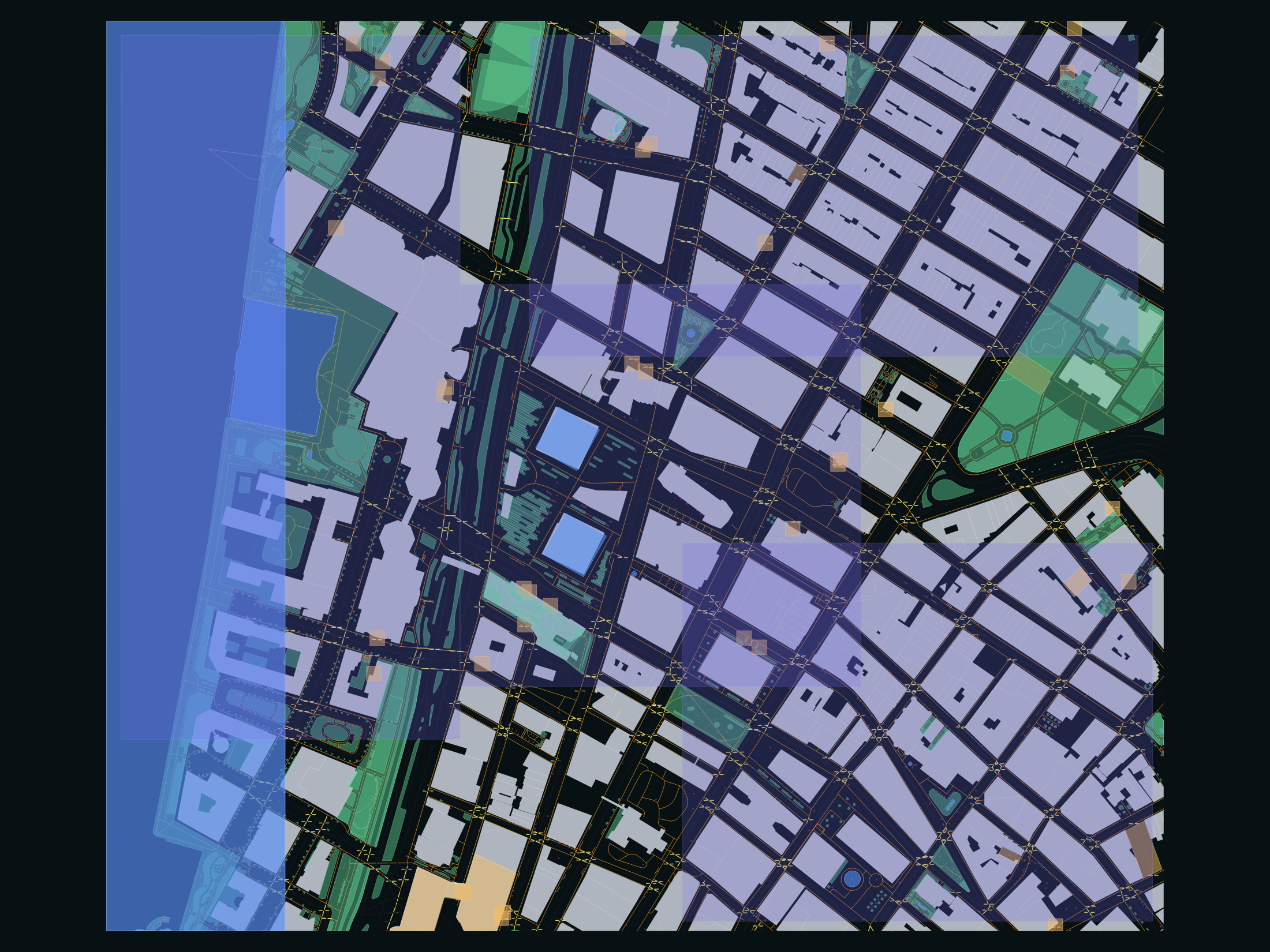
QGIS portfolio / AI data QA
I built a QGIS asset production package for Lower Manhattan that converts public geospatial sources into normalized, QA-checked, AI-reviewable GIS layers.
normalized GIS features
asset layers
invalid geometries after QA
NYC working CRS
Project set
The core proof is the Lower Manhattan QGIS handoff package. The evaluation lab pairs with it for AI reviewer workflows; RPInSight is only supporting evidence of geospatial product work.
Flagship 1
Lower Manhattan QGIS package with reviewed layers, QA flags, GeoPackage exports, docs, and screenshots.
Flagship 2
QGIS-ready evaluation project for grading AI answers to CRS, topology, exports, licensing, and review tasks.
Adjacent product
Campus map assistant showing the same geospatial QA instincts inside a user-facing Mapbox product.
Evidence package
The package includes a QGIS project, GeoPackage exports, GeoJSON exports, a data dictionary, QA report, labeling guide, source notes, and AI evaluator task bank.
Technical handoff
| Asset | Format | Purpose |
|---|---|---|
| Lower Manhattan GIS Package | .gpkg | Primary multi-layer spatial dataset |
| QGIS Project | .qgz | Styled QGIS review workspace |
| GeoJSON Exports | .geojson | Web/export-friendly layer outputs |
| QA Report | .md | Geometry, CRS, confidence, and review checks |
| Data Dictionary | .md | Field schema and allowed values |
| Labeling Guide | .md | Human review protocol |
| Source Notes | .md | Source, license, and limitation notes |
| AI Trainer Task Bank | .md | GIS/QGIS evaluation prompts |
Asset production pipeline
The project normalizes, clips, validates, flags, reviews, and packages public geospatial data into a compact multi-layer handoff that can be inspected in QGIS or consumed downstream as GeoPackage and GeoJSON.
NYC/NYS building footprints, OSM roads, footways, crossings, POIs, open space, and water context.
All features are clipped to the Lower Manhattan ROI and normalized to one review-friendly schema.
QGIS project, GeoPackage, GeoJSON exports, QA report, labeling guide, and AI trainer task bank.
QGIS desktop proof
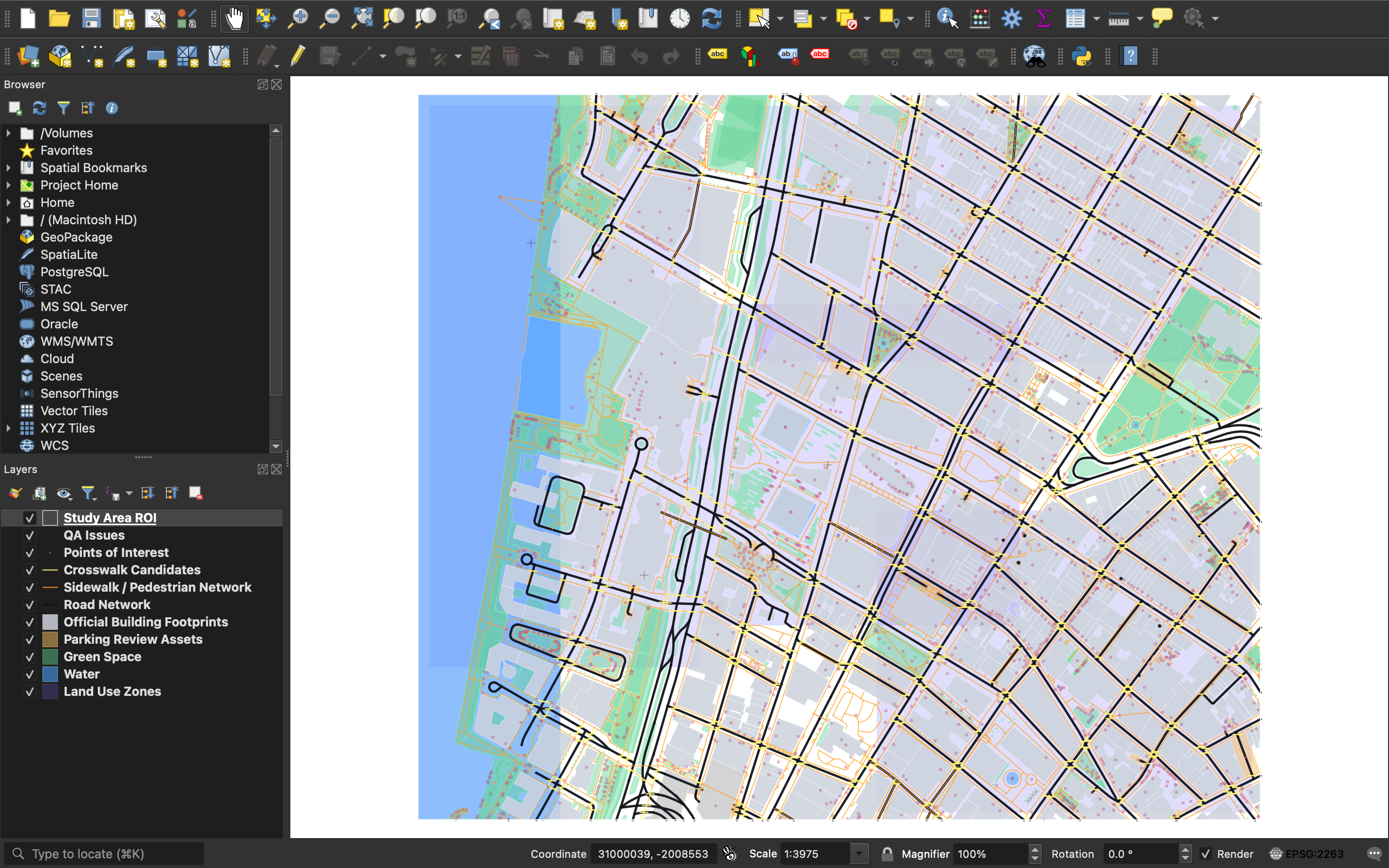
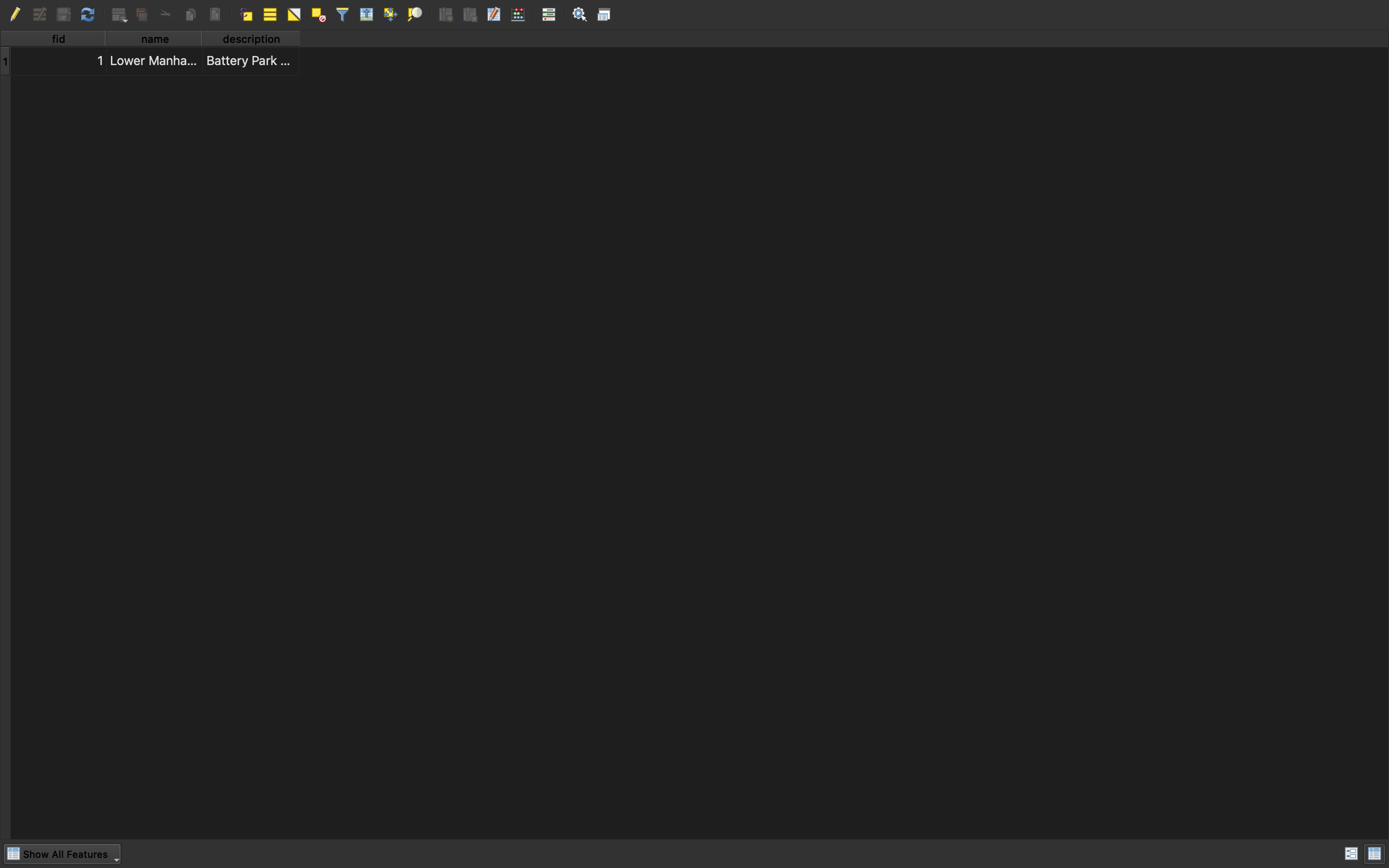
Screenshots captured directly from the QGIS desktop application on macOS show the layer panel, styled map canvas, project CRS, and attribute table.
QA surface
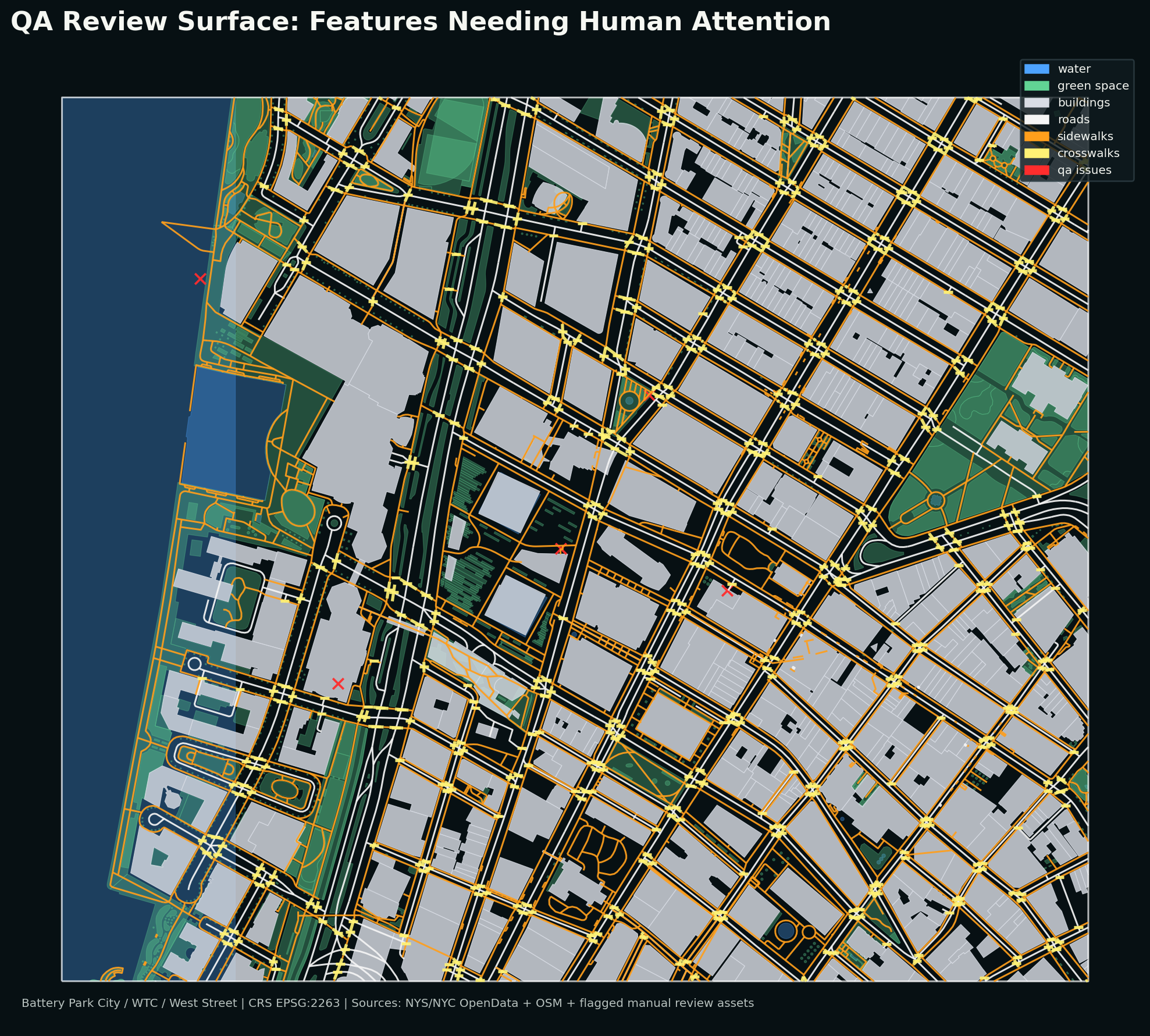
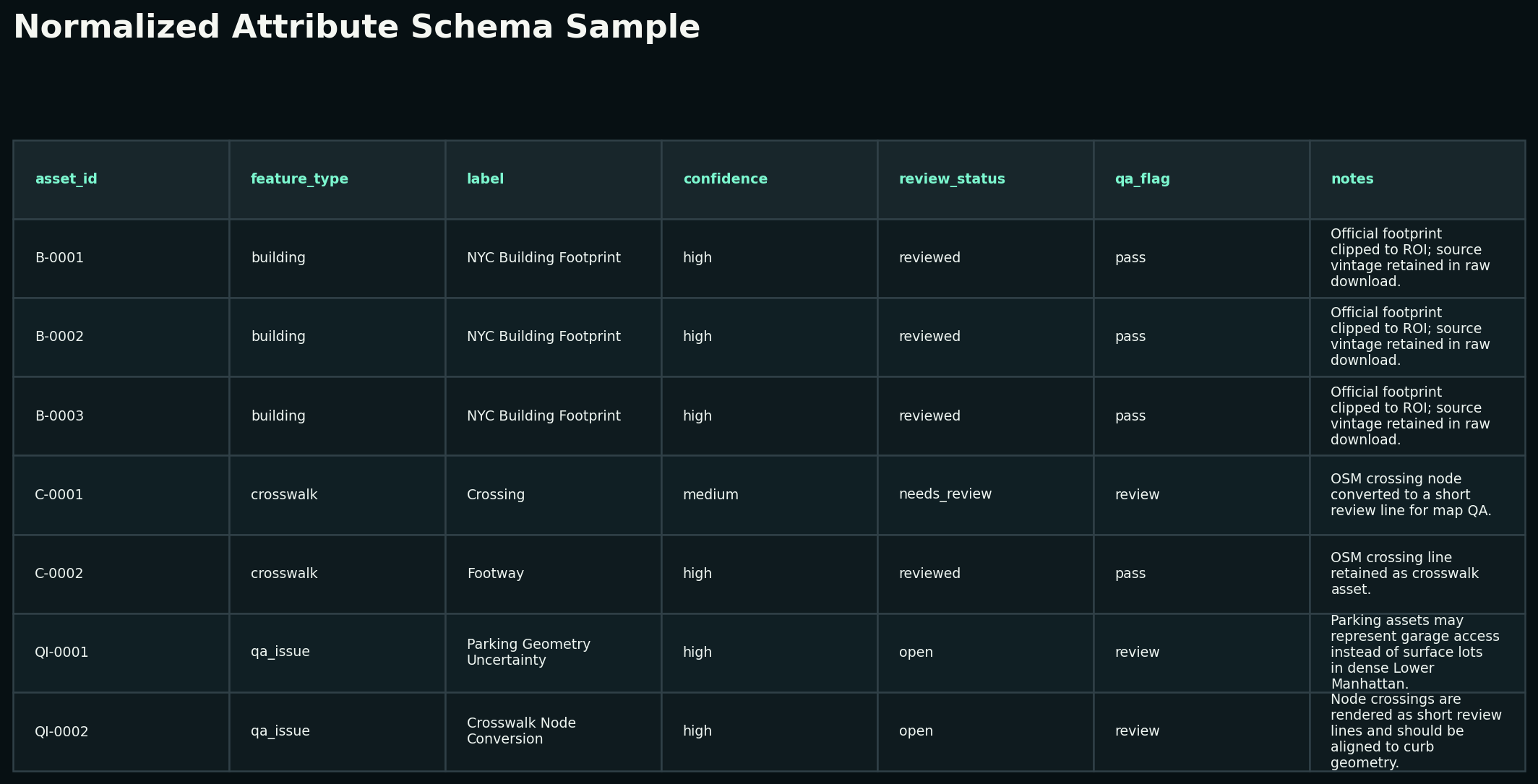
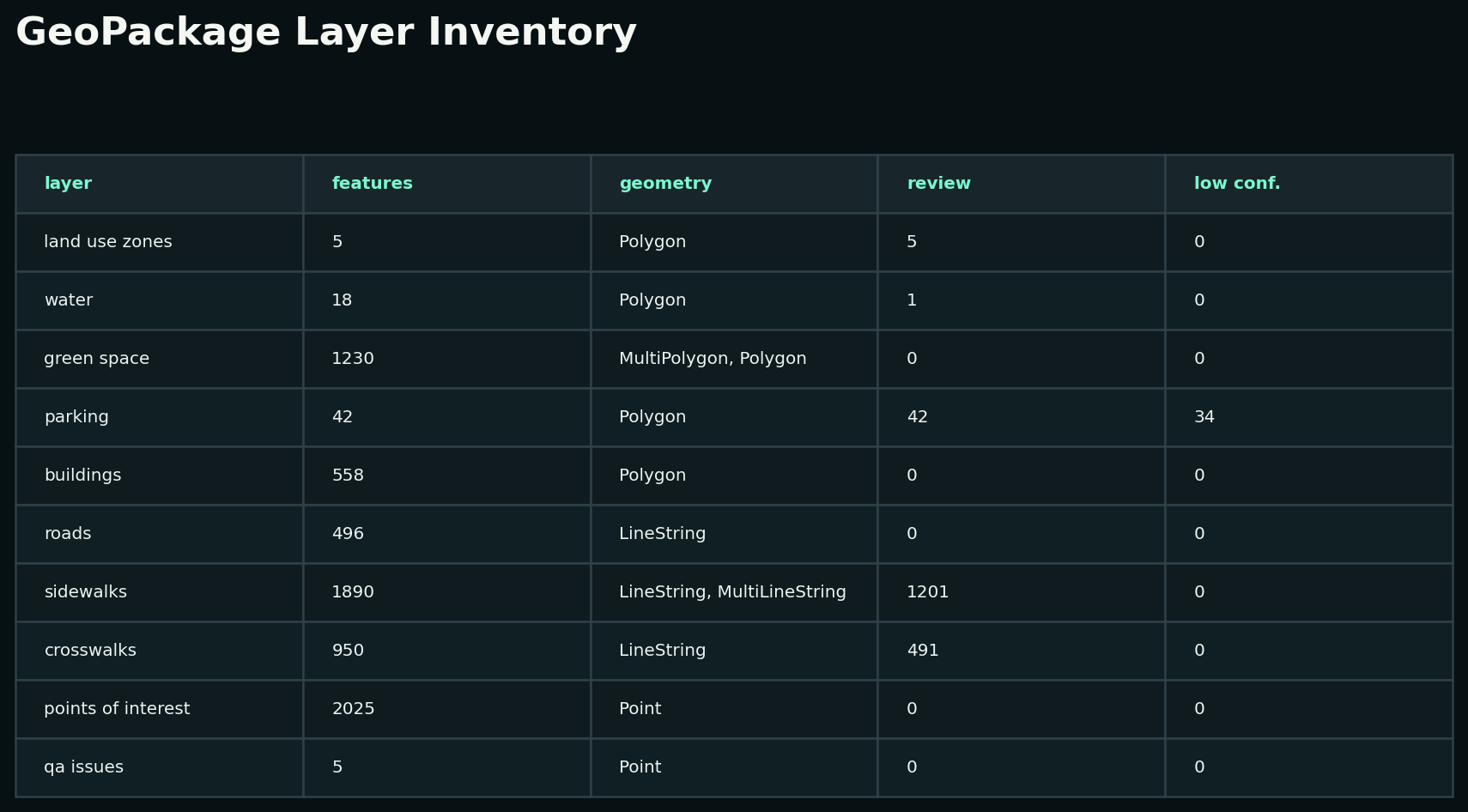
Dense urban GIS data is messy. The portfolio includes `confidence`, `review_status`, `qa_flag`, and a spatial `qa_issues` layer so a reviewer can see exactly where the dataset should be trusted, checked, or treated as approximate.
Schema discipline
The core schema is intentionally simple: asset id, type, label, source, source id, confidence, review status, QA flag, notes, and update date. That makes the data legible for AI evaluation workflows, not just map display.
Layer inventory
AI trainer readiness
The GitHub documentation includes a task bank with QGIS-specific prompts and answer keys covering CRS choice, geometry validation, crosswalk ambiguity, topology checks, exports, and AI response review.